Projects and datasets are handled as managed recordsets with counts, permissions, and activity history.
Workbench
Recordset administration
Queued submissions
Integrated review surfaces
A working environment for forensic barcode records, review, and analysis.
Workbench is the operational interface for the BioNexus platform. It is used to organize projects and datasets, ingest forensic extension data, review record completeness, submit analytical jobs, inspect outputs, and manage access within a controlled institutional environment.
Uploads and analysis jobs enter explicit queues so that status, outputs, and failures remain visible.
Maps, image libraries, alignments, traces, FASTQ previews, and record drill-downs stay tied to the same working selection.


Projects and datasets
Queued specimen intake
Compliance and completeness
Sequence analytics
Map, image, and alignment views
Governance and access control
Platform Overview
A platform organized around record custody, review, and analytical handling.
The application is structured as an operational system rather than a public catalogue. Users work inside recordsets, inspect completeness and compliance, move into specimen- and sequence-level detail, submit analytical jobs, and monitor status from the same environment.
Project and dataset workspaces
Projects and datasets are separated but handled through the same recordset model, with counts for records, sequences, access, and recent activity.
Forensic extension intake
Batch specimen templates are generated from the forensic extension schema, completed offline, and returned through the existing uploads queue.
Coverage and compliance snapshots
Recordsets report sequence coverage, geographic completeness, image presence, and compliance tiers in a common summary view.
Sequence analysis suite
Available methods include identification, distance summary, barcode gap, diagnostic characters, phylogenetic reconstruction, composition review, and export-oriented jobs.
Visual evidence review
The workbench exposes map, gallery, alignment, trace, FASTQ, and record-level views so that analytical interpretation can be checked against underlying evidence.
Governance and platform operations
Administrative views cover invitations, ACLs, account management, analysis oversight, and API clients.
Broader Forensic Context
Extended record model
Controlled institutional handling
Field capture and synchronization
The workbench sits inside a wider forensic data lifecycle.
Background material included with the platform describes Workbench as one part of a broader BioNexus ecosystem built for compliance and enforcement work where positive species identification carries evidentiary weight. In that model, the barcode record can be extended with diagnostic images, chain-of-custody imagery, digitized documentation, and other supporting material.
DNA barcode data can be paired with diagnostic images, COC images, documentation or affidavits, and, where required, additional individualizing material.
The wider platform model couples workbench review and analytics with managed access, secure storage, and classification services that support a single governed source of truth.
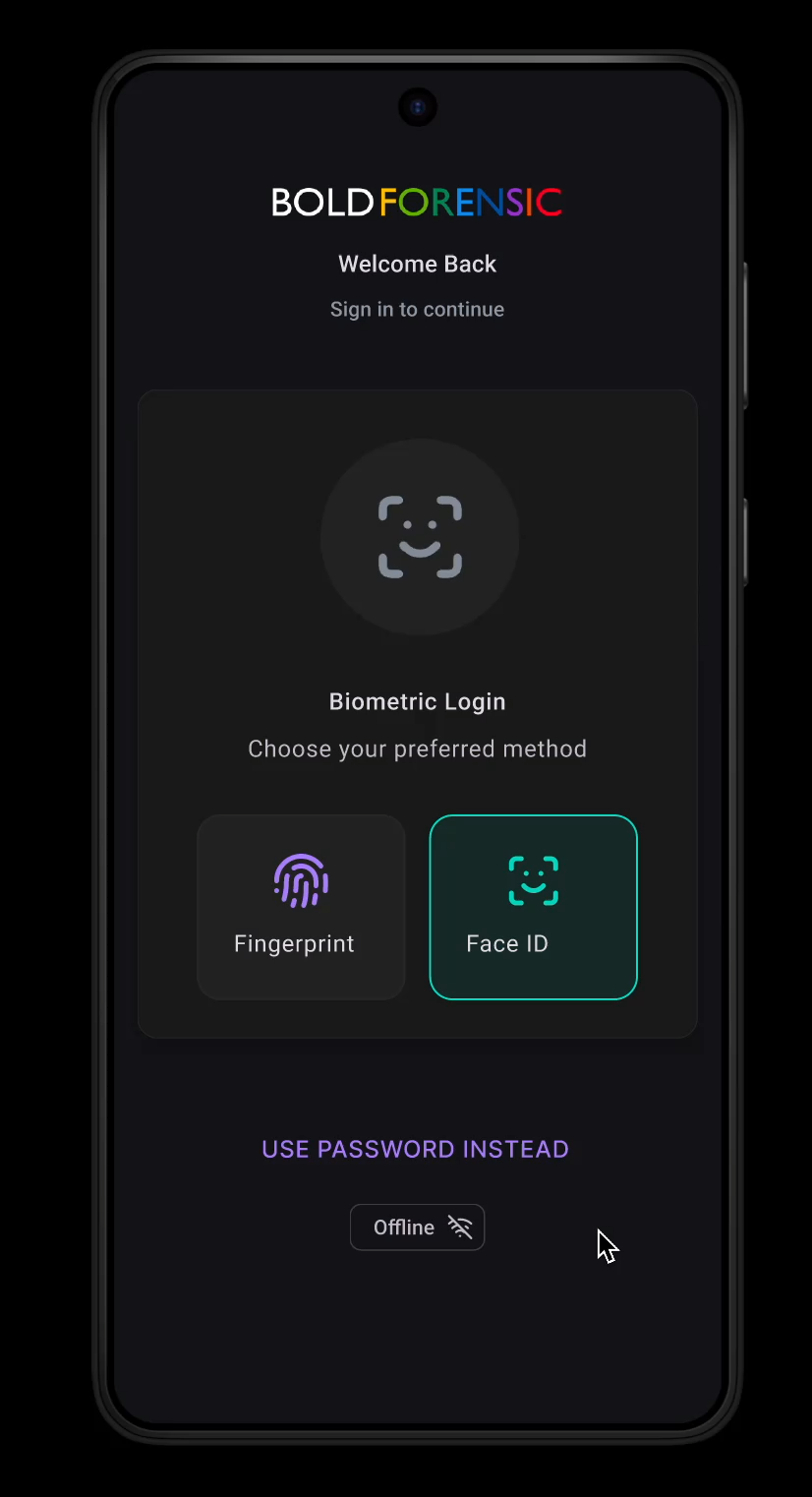
A companion mobile workflow is described for biometric authentication, offline operation, on-site document capture, image collection, certification and locking, and later synchronization when network access becomes available.
Operational Workflow
1
2
3
The recordset is the main working surface.
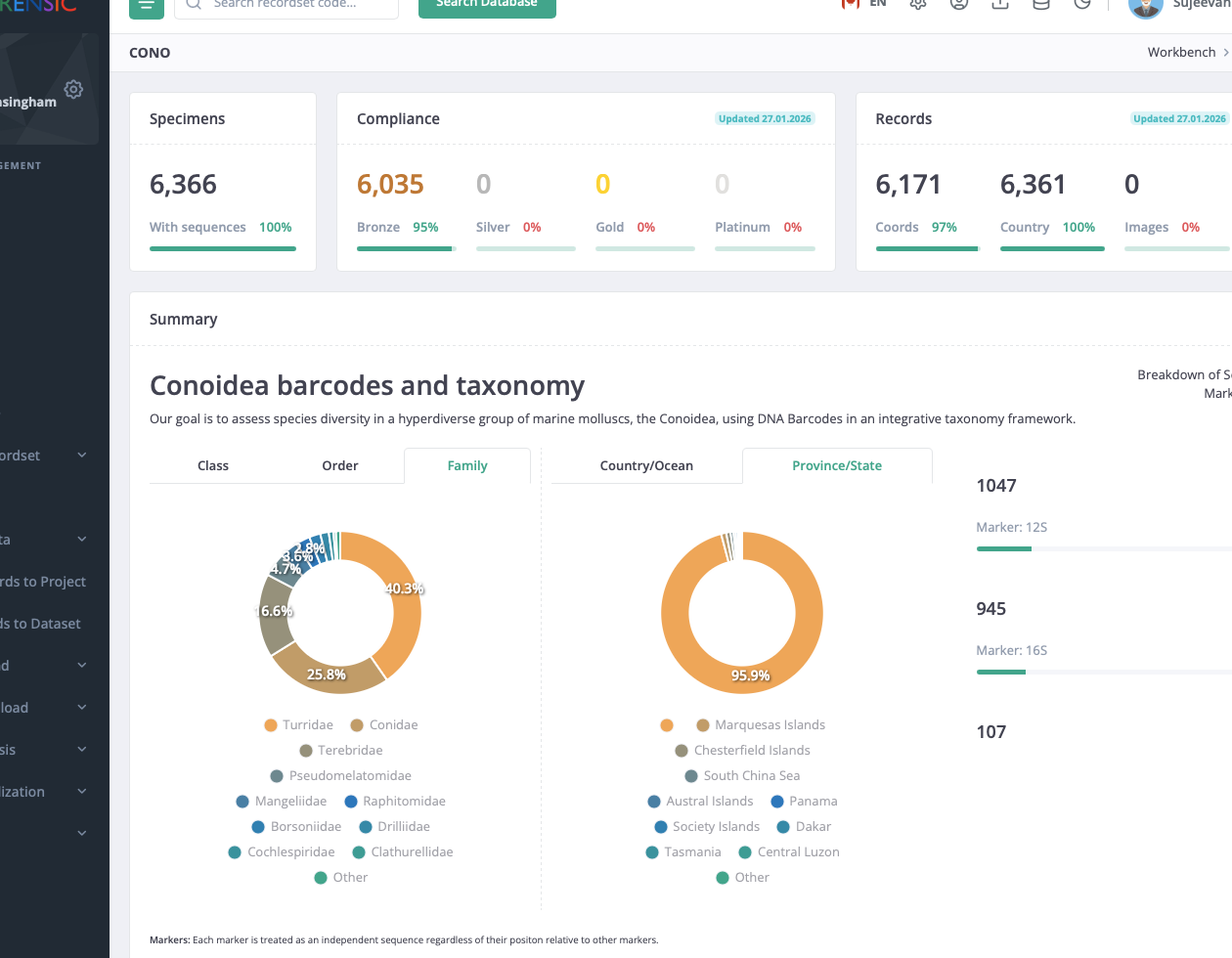
Most day-to-day work begins in a project or dataset recordset. From there, staff can assess completeness, inspect distributions and taxonomic structure, move into record detail, and launch downstream work without rebuilding context.
Review counts and coverage first
Specimens, sequences, coordinates, images, and compliance levels are surfaced at the outset so missing material can be identified early.
Inspect the underlying records
Taxonomic and geographic breakdowns, specimen pages, genomics views, and media panels provide direct access to the underlying evidence.
Submit work from the same context
Downloads, identifications, alignments, and queued analyses inherit the active recordset, preserving the working selection used for review.
Methods And Outputs
Analytical methods are configured from the active recordset.
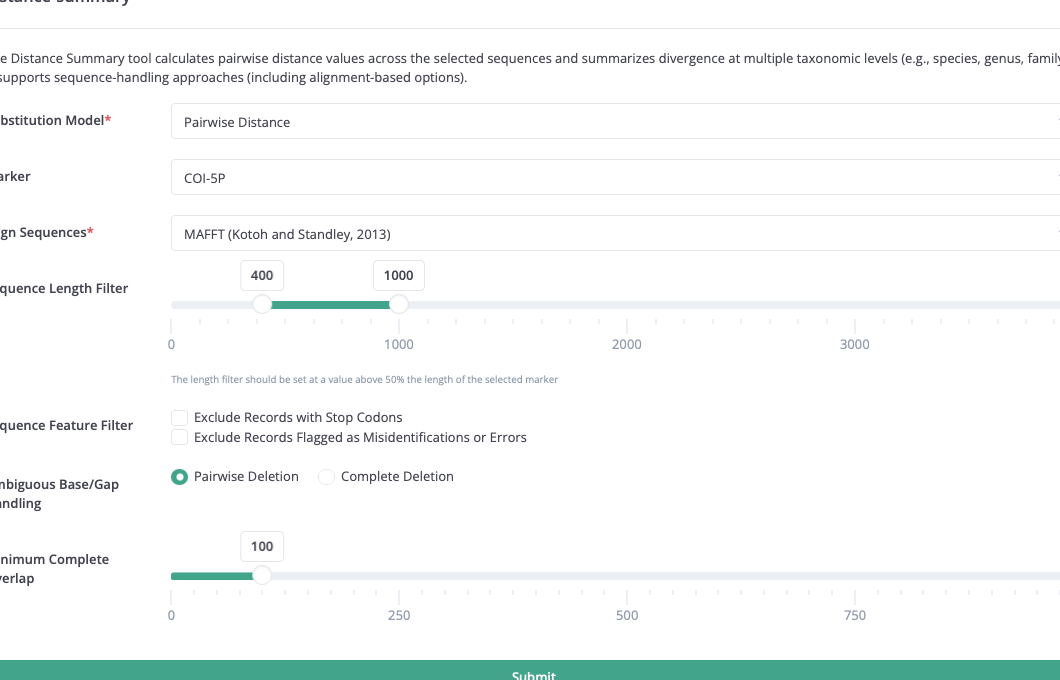
Method forms are generated from structured definitions in the workbench, so each tool exposes its own parameters while following a common submission pattern. Marker choice, alignment behaviour, length thresholds, error filters, and reporting options are handled through that same framework.
- Reference-library identification
- Distance summary across taxonomic levels
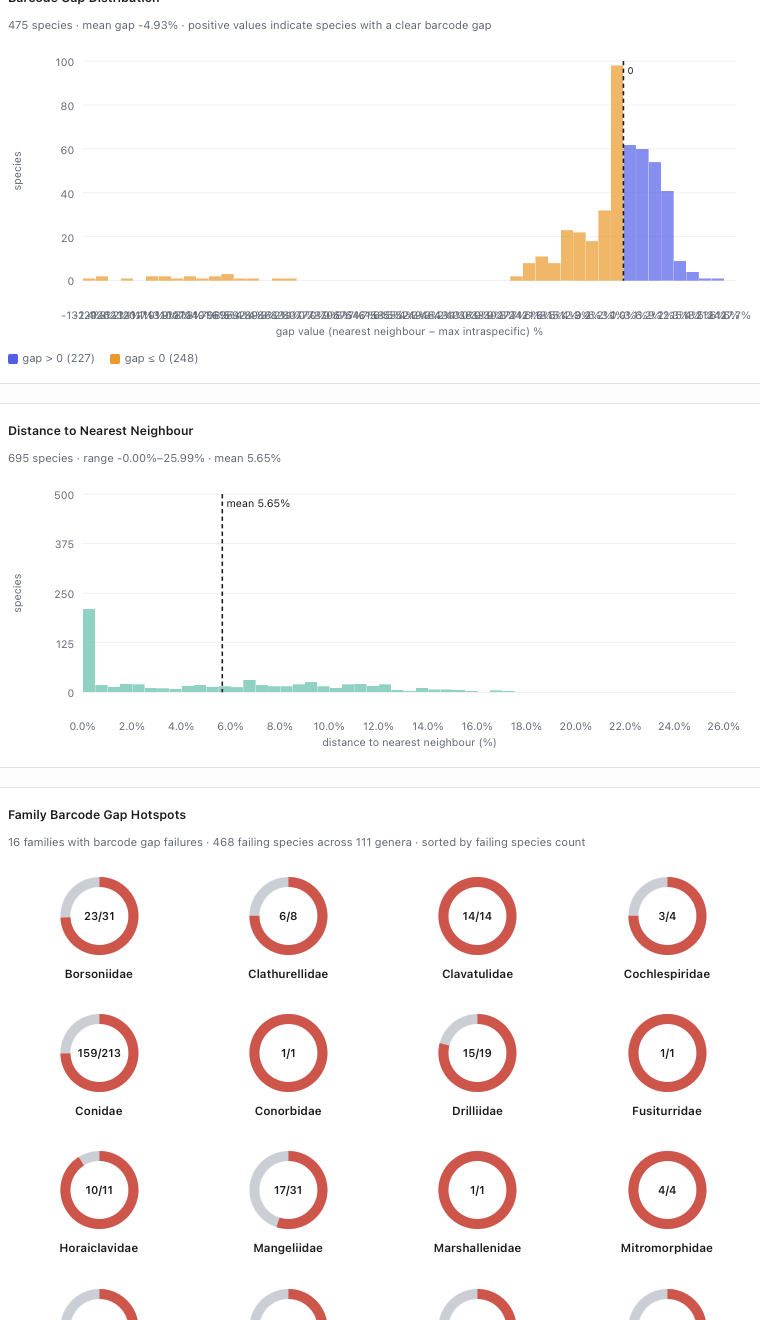
- Barcode gap assessment
- Diagnostic character extraction
- Phylogenetic tree reconstruction
- Sequence and specimen export packages
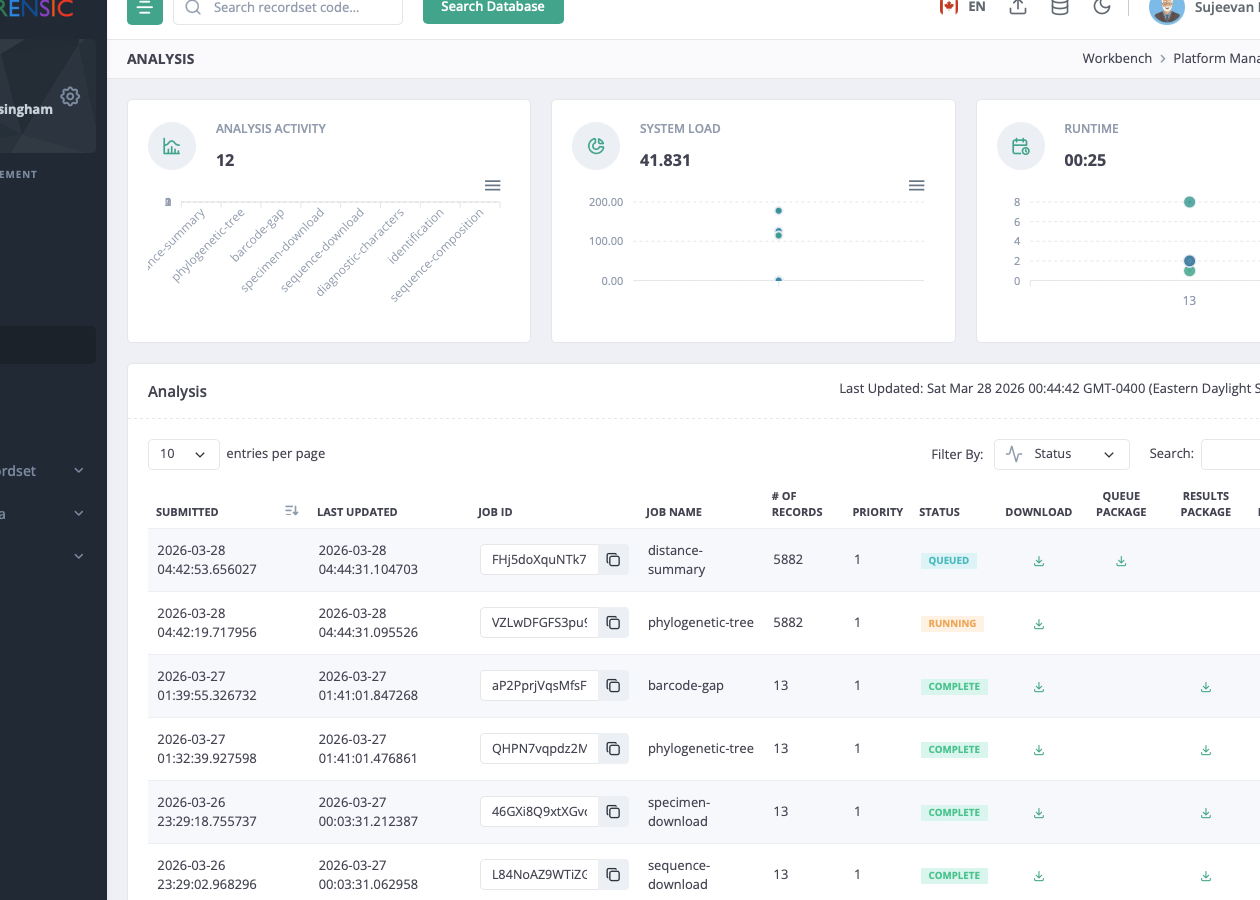
Completed jobs return report pages, result tables, charts, downloadable packages, and timing information,
while supporting review views remain available for interpretation.
Analysis Architecture
New analytical methods follow a shared five-stage job template.
On the workbench side, each method is described by a JSON parameter definition. On the execution side, the queued job is unpacked and passed through the same orchestrated sequence of shell stages. That arrangement makes new methods comparatively easy to add while preserving consistent job packaging, monitoring, and result handling.
Method definition in the workbench
Parameter forms, defaults, and field types are described by per-method JSON definitions, so each analytical tool can expose its own interface without inventing a new form system.
Queued job package for the worker
Submission produces a job package containing method parameters and the record selection needed for execution, allowing the worker to process each method through a common wrapper.
Validate
1.validate.sh
Confirm that required parameters and job files are present before any computation begins.
Filter
2.filter.sh
Reduce the record set to the marker, sequence-length, and quality conditions requested for the method.
Convert
3.convert.sh
Prepare method-specific inputs such as FASTA files, alignments, or other intermediate representations.
Execute
4.execute.sh
Run the analytical program itself inside the job container using the prepared inputs.
Package
5.package.sh
Assemble reports, charts, exports, timings, and the result archive returned to the platform.
A shared scaffold for new methods
New analytical tools can adopt the same queue, timing, error, and packaging pattern while replacing only the method-specific internals of the stage scripts.
Consistent monitoring and retrieval
Because jobs follow the same staged structure, queue status, runtime reporting, downloadable packages, and result pages can be handled in a predictable way across methods.
Administration And Oversight
Administrative work remains visible alongside analytical work.
The same environment includes access management, recordset ACLs, project and dataset administration, and analysis monitoring. Operational history and analytical history remain within the same system boundary.
HQ
Activity visibility across projects and datasets
HQ provides summary counts and recent activity across accessible projects and datasets, supporting routine oversight of record movement and editing activity.
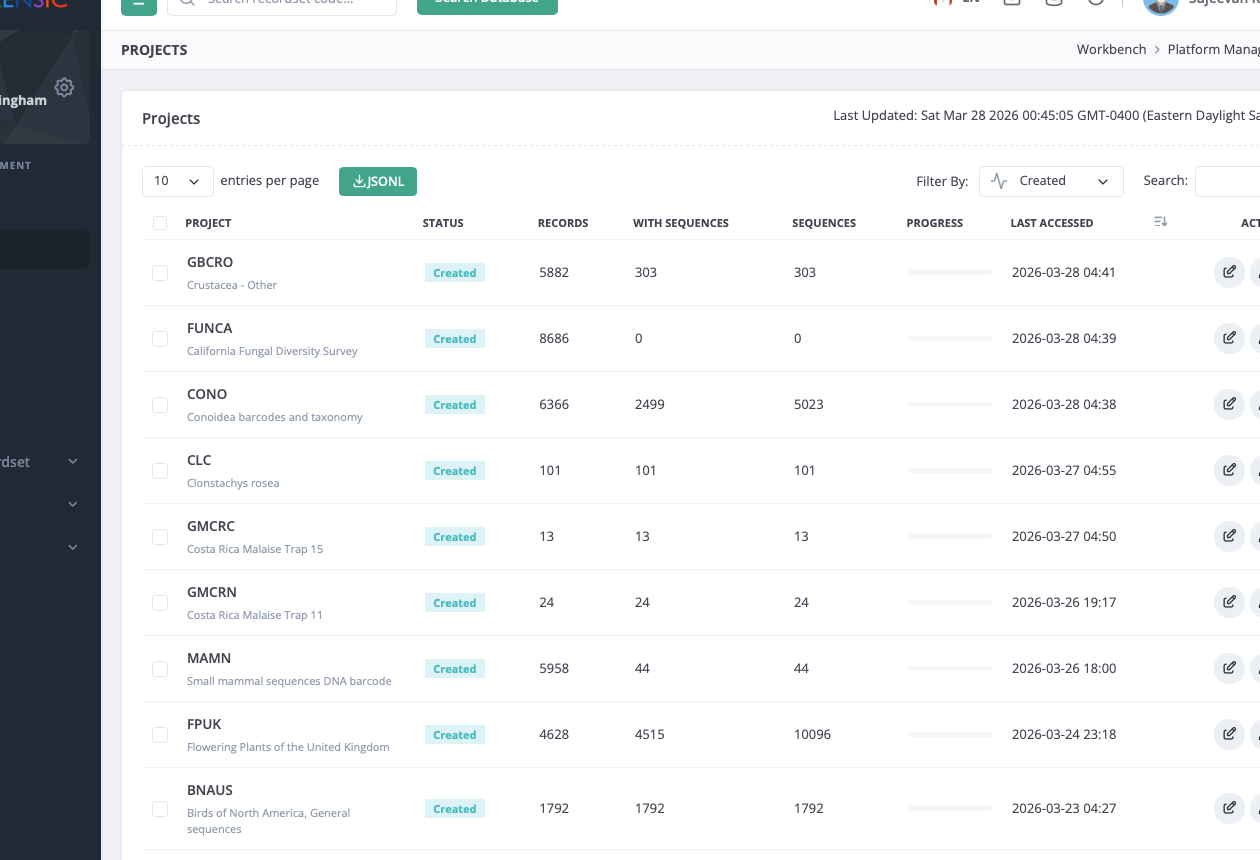
Project-level administration remains explicit
Administrative tables expose project counts, statuses, last access times, and permitted actions in a form suited to operational review.
Admin
Platform management for users, analyses, and API clients
Dedicated management views cover invitations, password resets, suspensions, project and dataset administration, analysis oversight, and API key inventory.
Access And Reference
Workbench access, documentation, and API references are available from the same environment.
The public home page provides orientation. Operational use continues through authenticated access, internal recordsets, and supporting documentation.