BioNexus is a multi-service platform for managing, reviewing, and analyzing DNA barcode records. It is built around
the Biodiversity Community Data Model (BCDM) and supports the full lifecycle from specimen intake through sequence management,
analytical processing, file archiving, and governed access. Workbench is the user-facing layer of that platform — the
working environment where recordsets are assembled, reviewed, and analyzed. This page provides an orientation to both the
workbench interface and the broader platform model it sits within.
Platform Scope
The workbench is organized around managed forensic recordsets.
Workbench is not a public catalogue page. It is the internal working layer used to assemble, inspect,
and analyze barcode records inside projects and datasets. The same interface exposes counts, completeness signals,
media, maps, downloads, analytical submission, and operational administration.
The practical effect is that users do not need to move between separate systems for review, submission, and retrieval.
A working selection remains attached to the active recordset while the user moves through downstream tasks.
Projects and datasets
Both are treated as recordsets with codes, titles, counts, access rules, and recent activity.
Queued intake
Uploads and specimen batch submissions enter explicit queues so processing status remains visible.
Review surfaces
Map, image, alignment, trace, FASTQ, and record-browser views remain tied to the same selection.
Analyses and reports
Methods are configured from definitions, submitted through a common pattern, and returned as report pages and packages.
Access Model
Access is attached to recordsets rather than to a single global permission level.
The application distinguishes between project access and dataset access. Each recordset carries its own ACL,
and those ACLs determine who can read, edit, manage, or administer material in that scope.
Project access levels
Project ACL logic supports roles such as Project Manager, Edit All, Edit Specimens/Read Sequences, Read Specimens/Edit Sequences, and Read Specimens Only.
Dataset access levels
Dataset ACL logic is narrower and includes Dataset Manager, Read All, and Read Specimens Only.
Operational effect
The same user may hold different rights across different projects and datasets, which is why recordset context matters throughout the interface.
Administrative handling
ACL views exist alongside project, dataset, user, analysis, and API-key administration so access changes remain part of normal platform operations.
Data Model
Records are structured around the Biodiversity Community Data Model.
The Biodiversity Community Data Model (BCDM) is the native schema of the platform. It is not a generic laboratory
schema adapted for biodiversity data — it was designed by and for the biodiversity genomics community. The schema
covers 111 defined fields organized into seven groups.
Specimen
Process ID, sample ID, museum ID, voucher type, tissue type, sex, life stage, sampling protocol, and specimen linkouts.
Taxonomy
BIN URI, taxon ID, full Linnaean hierarchy from phylum to subspecies, identification method, and identifier.
Collection
Collectors, collection date range, geolocation (lat/lon pair), country, province, site, habitat, ecoregion, elevation, and depth.
Sequence
Nucleotide sequence, base count, INSDC accession, marker code, primer linkages, and sequence upload date.
Forensic extension
Chain of custody fields, reference grade (Platinum–Bronze), biobank catalog, collector identity, confidence of identification, and morphometric measurements.
DarwinCore interoperability
A complete mapping from BCDM to DarwinCore is maintained in the platform, supporting direct export to GBIF, iDigBio, and other aggregators.
Fields are typed: string, string:date, integer, float,
geopoint (validated lat/lon pair), array, and json. Controlled vocabularies
are applied at ingest validation so that invalid values are caught at the boundary rather than discovered later during analysis.
Projects And Datasets
The recordset page is the main working surface.
Most work begins in a project or dataset recordset. The recordset summary exposes specimen counts, sequence counts,
sequence coverage, image presence, coordinate coverage, and compliance levels before a user opens individual records or launches analyses.
From the same page, users can move into taxonomic and geographic breakdowns, open records, review completeness,
and start downstream tasks without reconstructing the selection each time.
Recordset summary and breakdownsCounts, compliance summaries, and taxonomic or geographic distributions are presented before analysis submission.HQ and recent activityCross-recordset counts and recent activity remain available from the platform-level dashboard.
Intake And Uploads
Batch specimen intake is built around generated templates and an uploads queue.
The services layer exposes batch specimen upload templates and field definitions for forensic extension intake,
including both standard and advanced forensic extension panels. Those templates are meant to support structured offline preparation before submission.
Uploads do not disappear into a background process without visibility. They are surfaced through an uploads queue
so that submission state, review needs, and downstream processing remain explicit.
Template generation
Spreadsheet templates can be generated from the current schema rather than maintained as separate static files.
Field definitions
Field-definition endpoints make the batch structure inspectable and keep the template tied to the same data model.
Queued processing
Uploads are submitted into a queue, which keeps the operational state visible alongside other platform activity.
File Management
Files attached to records are processed, verified, and archived through CAOS.
The Cloud Archive Object Store (CAOS) is the platform's file management service. Files are not just stored — each
upload is processed through a validation and post-processing pipeline before being committed to the archive. Every
file receives a verified MD5 checksum and a processing record.
Images
JPG, PNG, GIF, and TIFF — voucher specimen photographs. Thumbnails and preview renderings are generated on ingest.
Trace files
AB1, SCF, and FSA electropherogram data. Processed to extract quality and peak metadata.
FASTA and FASTQ
Sequence data files. Validated for format conformance before archiving.
PDF documents
Chain of custody documents, permits, associated literature. Linked to the specimen record.
Spreadsheets
XLSX batch submission files. Processed through the ingest pipeline and retained for reference.
Geospatial files
SHP and GeoJSON — collection locality data attachments for mapping and spatial analysis.
Lifecycle Context
The workbench sits within a broader forensic workflow.
Background material supplied with the platform describes a wider lifecycle that begins with specimen or sample collection
and continues through data capture, synchronization, registration, data integration, lab reception, lab analysis,
results approval, and later utilization. Workbench is the governed interface inside that chain rather than the whole chain itself.
In that same description, the barcode record can be extended with diagnostic images, chain-of-custody images,
digitized documentation or statements, and, where required, additional individualizing material. The workbench is valuable
because those materials can be assembled, reviewed, and interpreted together rather than as disconnected evidence fragments.
Extended record elements
Barcode sequences can be paired with diagnostic images, COC imagery, documentation, and other case-supporting material.
Field collection context
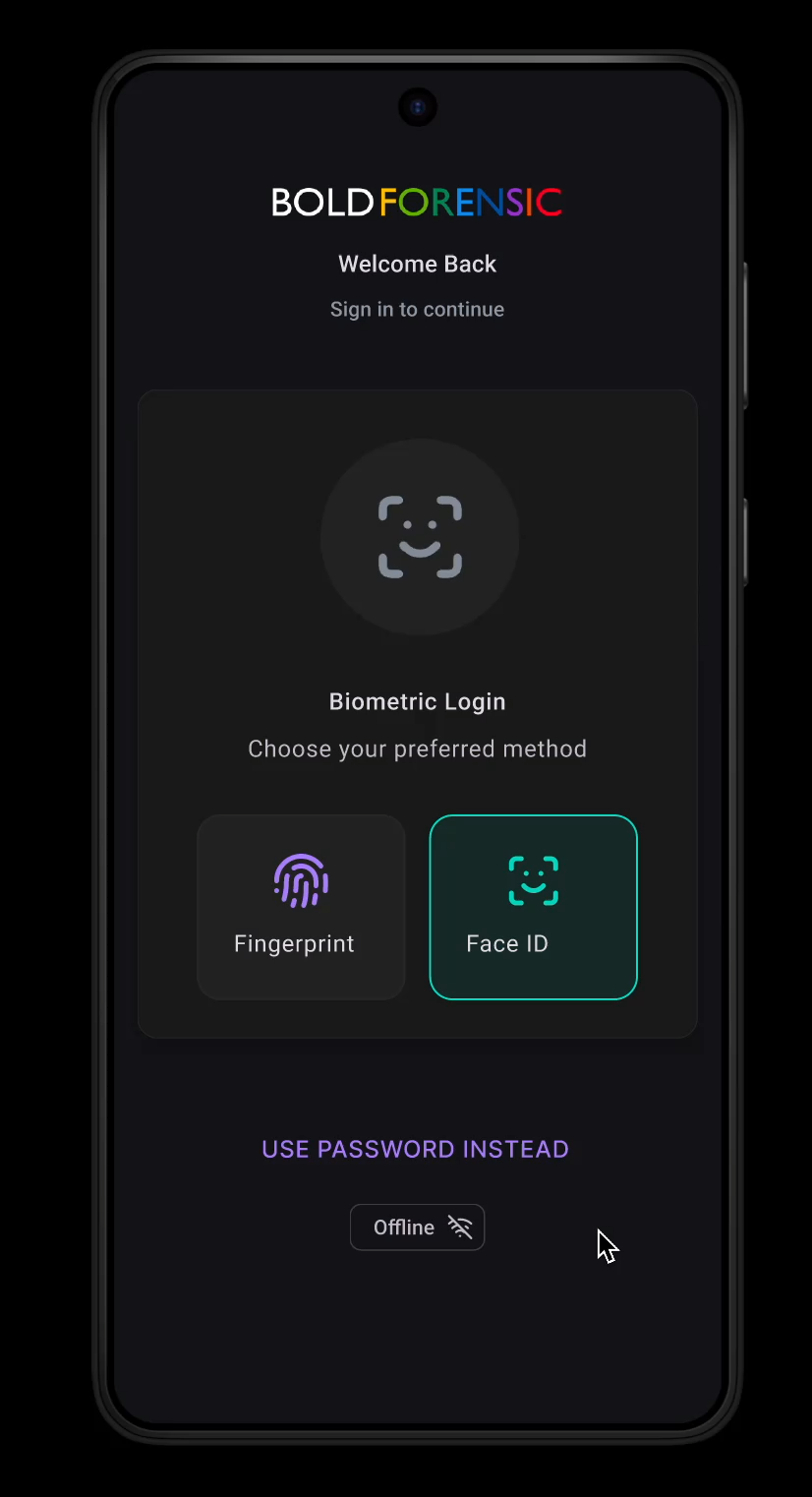
A companion mobile workflow is described for biometric authentication, offline data capture, document digitization, image collection, and later synchronization.
System boundary
Workbench remains the internal handling layer for review, queueing, analysis, and administrative oversight within that broader ecosystem.
Illustrative field interfaceThe deck includes a companion mobile capture screen intended for authenticated field use and later synchronization into the managed platform workflow.
Review Surfaces
Record inspection is supported by several linked views.
Review in Workbench is not limited to a single table. The codebase exposes map, image, alignment, trace,
FASTQ, FASTA, spreadsheet, and document surfaces tied to recordsets, together with record-level specimen and genomics views.
Distribution maps
Geographic review can be opened directly from a recordset selection and remains grounded in the same tokenized scope.
Image libraries
Image browsing remains part of the evidence review layer rather than a separate external gallery.
Alignment review
Alignment views support close inspection of sequence position and variation before or after analytical work.
Trace and FASTQ review
Supporting sequence reads can be checked from services dedicated to traces and FASTQ-derived content.
Distribution reviewMap-based review stays available from the same recordset context used for summary and analysis work.Image reviewSpecimen imagery remains attached to the records under review rather than being detached from the dataset or project context.
Analysis Methods
Method configuration is generated from structured definitions.
Analytical methods are described in JSON definitions that specify titles, descriptions, field types, defaults,
and grouped parameter panels. That is why Workbench can present method-specific forms while still using a shared submission pattern.
Identification: query selected sequences against the BOLD reference library using a two-tier BLAST search and return ranked matches with taxonomy and identity scores.
Distance summary: calculate pairwise distances and summarize divergence at taxonomic levels such as species, genus, and family.
Barcode gap: compare within-species and nearest-neighbour distances to characterize gap structure and overlap.
Diagnostic characters: identify informative nucleotide positions that distinguish groups without relying on a distance cutoff.
Phylogenetic tree: reconstruct tree outputs from selected sequences using several tree-building methods and view styles.
Sequence composition and downloads: summarize base composition and generate specimen or sequence export packages.
Method-specific parameter formsMarker selection, alignment handling, sequence filters, and other options are exposed through definitions rather than one-off pages.
Job Processing
New analytical tools follow a shared five-stage execution pattern.
On the interface side, the method definition determines the submission form. On the execution side, the job package
is passed through a common staged scaffold. That structure keeps parameter handling, queue monitoring, packaging, and result retrieval consistent across methods.
1
Validate
1.validate.sh
Confirm that required parameters and input files are present before the job proceeds.
2
Filter
2.filter.sh
Apply marker, sequence-length, and feature filters to the selected records.
3
Convert
3.convert.sh
Build method-specific intermediate inputs such as FASTA files or alignments.
4
Execute
4.execute.sh
Run the analytical program itself against the prepared inputs.
5
Package
5.package.sh
Assemble reports, charts, downloads, timings, and result archives returned to the interface.
Because each method follows the same queue and packaging scaffold, new tools can be added without inventing
a separate lifecycle for submission, monitoring, or retrieval.
Administration And API
Administrative visibility remains part of the same system boundary.
Platform management pages cover users, projects, datasets, analyses, and API keys. In practice that means operational oversight,
access handling, and analytical oversight are not treated as separate applications.
Platform administration
Administrative screens support user handling, project and dataset management, analysis oversight, and API-key inventory.
API references
The deployment exposes interactive service documentation at /api/docs, with the public pages acting as narrative orientation rather than endpoint-by-endpoint detail.
Analysis monitoringQueued, running, completed, and failed jobs can be reviewed through a common monitoring surface.Project-level administrationAdministrative tables expose record counts, statuses, access history, and available actions in a form suited to routine oversight.